Teaching Council launches new digital portal for teachers
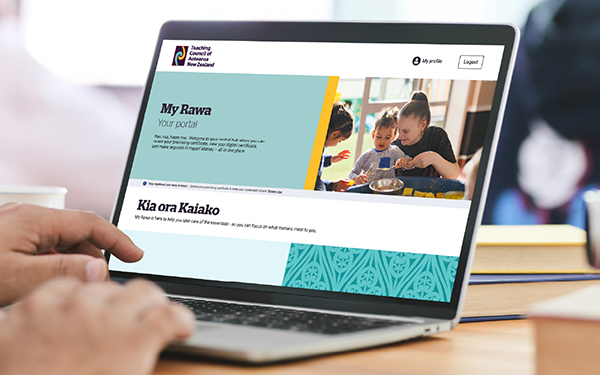
The Teaching Council has launched their new website and teacher portal, My Rawa. It brings services and tools together in one place, from renewing practising certificates to accessing guidance and professional learning.

With My Rawa, teachers can now access all Teaching Council services with a single, secure login. The new platform also allows teachers to save their digital practising certificate card to digital wallets on their phones.
Teaching Council deputy chief executive Clive Jones says the new online space was shaped through “ongoing kōrero with teachers”. A consistent theme from teachers was the need for clarity and ease of access, he says.
“This launch reflects what we’ve heard, and it sets us up to keep improving in a way that is genuinely responsive to the needs of kaiako across Aotearoa.
“My Rawa helps to make sure everyone has the same high-quality, reliable access to the council’s services,” adds Clive. “It’s about removing barriers and supporting every teacher to engage with us smoothly.
“We see My Rawa as a partnership with the profession.”
A tool to save time
Rawa means abundance and capability. Clive says the Teaching Council understands how busy teachers are, “and that no one wants to waste time trying to find information on a website or spend time on hold waiting for someone to answer their call”.
In sector feedback to the Teaching Council, one teacher says it’s a lot easier to access her profile on her cellphone. Another says the site looks “awesome”.
“It is nice to have a one-stop shop, so to speak. I am looking forward to navigating the site and also asking the AI assistant, Miromiro, for help.”
Clive says teachers deserve digital tools “that reflect the professionalism of their role”.
“My Rawa provides a trusted, secure environment where teachers can engage with us confidently. It signals our commitment to providing a digital experience that honours their expertise and the responsibility they carry every day.”
How to use My Rawa
Teachers will get an invitation to log in by email. The first time they log in, their Education Sector Login (ESL) and Teaching Council account will be linked. The Teaching Council website has more information on how to get started.